Scale#
The Scale order algorithm automatically places multiple orders at different price levels following a specified distribution profile. It lets you execute a large order by breaking it into smaller parts spread across a price range, with control over how the quantity is allocated across that range.
A Scale order:
- Breaks up a large order into multiple smaller orders at different price levels
- Places those orders following a distribution profile you choose across the range
- Works the ladder for you, so you do not have to place and manage each level by hand
Key advantages
- Reduces market impact by spreading orders across prices
- Provides price averaging benefits
- Offers flexibility in distribution patterns
- Automatically manages multiple price levels
When to use it#
- You are building a large position and want to minimize market impact by spreading execution across different prices.
- You want to ladder into or out of a range rather than work a schedule or a participation rate.
- You are trading in a volatile market where price movement is expected, or implementing a cost averaging strategy.
Note
Scale does not hide your size. Every rung of the ladder is a normal resting order, and there is no display-size control — if discretion is what you need, use Iceberg instead.
How to place a Scale order#
The order form always trades the symbol selected in your workspace, so there is no symbol field in the form itself. Pick Scale from the algo dropdown in the form's top row (Market | Limit | algo), then set the ladder:
| Parameter | Example | Required? |
|---|---|---|
| Side | BUY or SELL | Yes |
| Account | Main Account | Yes |
| Quantity | 10 ETH | Yes |
| Trading style | Aggressive / Hybrid / Passive | Yes |
| Number of child orders | 5 (the default) | Yes |
| Start scale price | The first price level of the ladder | Yes |
| End scale price | The last price level of the ladder | Yes |
| Size distribution | Linear (1) | Yes |
| Reduce only (the RO chip on the conditions line) | Off | No (futures only) |
| Trigger price | + Trigger on the conditions line, or Advanced Settings | No |
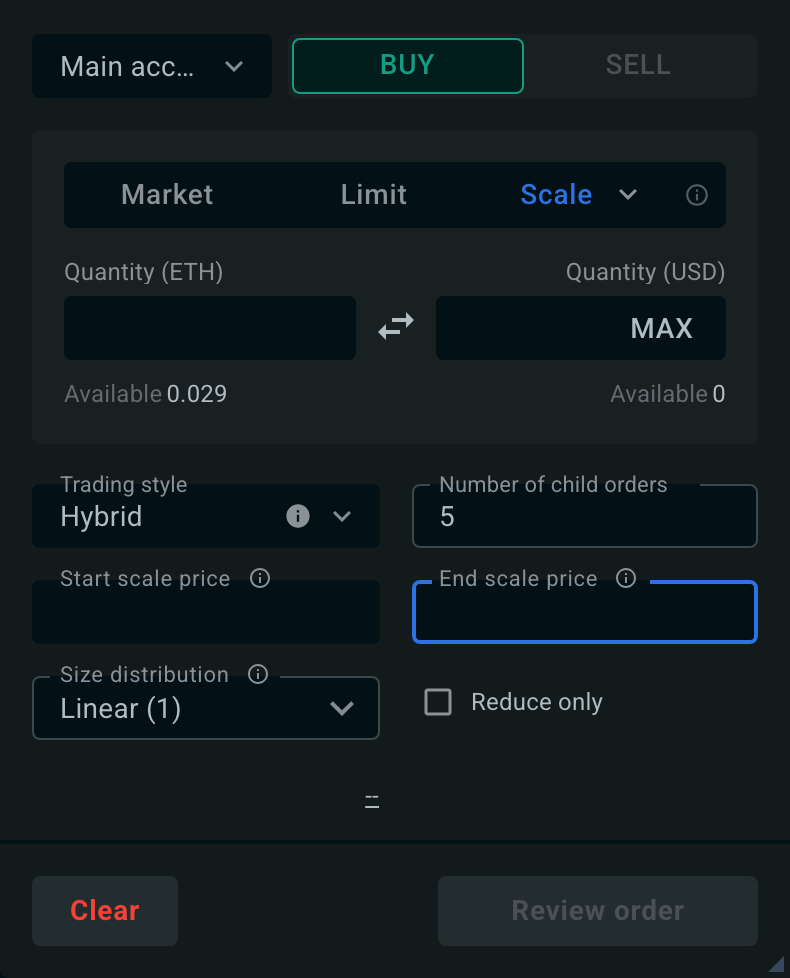
A Scale order has no duration: it works the ladder until it is filled, cancelled, or expires.
Number of child orders sets how many rungs the ladder has, and Start and End scale price set the range they are spread across.
Size distribution controls how the quantity is split between those rungs. The value is a skew factor between 0.1 and 10:
| Option | Value | Where the size goes |
|---|---|---|
| Concentrated at start | 0.33 | Most of the quantity sits near the start price |
| Weighted to start | 0.5 | Tilted towards the start price |
| Linear (default) | 1 | Equal quantity at every price level |
| Weighted to end | 2 | Tilted towards the end price |
| Concentrated at end | 3 | Most of the quantity sits near the end price |
| Custom… | 0.1–10 | Any skew in that range: below 1 weights the start price, above 1 weights the end price |
Advanced settings#
Scale has two tabs of its own in the Advanced Settings modal: Scale Profile, and Iceberg Delay — the same minimum-time-between-slices control described on the Iceberg page. Would Price, Limit Price and Clip Size do not apply to a Scale order (its ladder prices already act as limits), so those tabs are not shown.
All advanced settings are optional. They open in the Advanced Settings modal, which shows one tab per setting; the behavior below is described for your Scale order.
The trigger price can also be set directly in the order form, with + Trigger on the conditions line. The order form and the Trigger Price tab edit the same value, so they always stay in sync. See Set a trigger from the order form.
Unless you change them, orders run with sensible defaults: the trading style defaults to Hybrid.
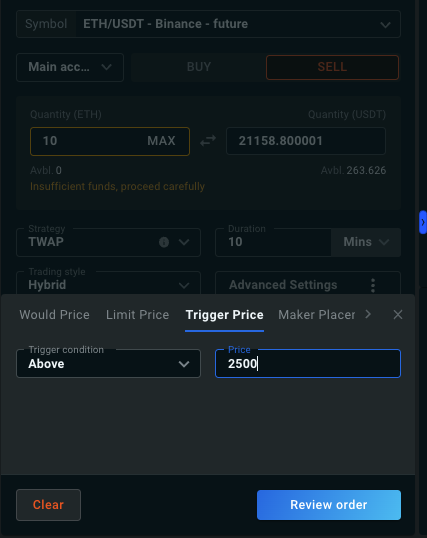
The Scale only starts once the trigger price is reached. For example, with ETH trading at 2,000 and a sell order with a trigger at 2,500, execution begins only when ETH reaches 2,500.
The trigger condition can be Above or Below the specified price. See Trigger Orders for details.
Default: none. When you set a trigger price, the condition defaults by side: Below for a BUY, Above for a SELL.
You can set the same value from the order form with + Trigger: the conditions line then reads Starts if price ≤ X (Below) or Starts if price ≥ X (Above).
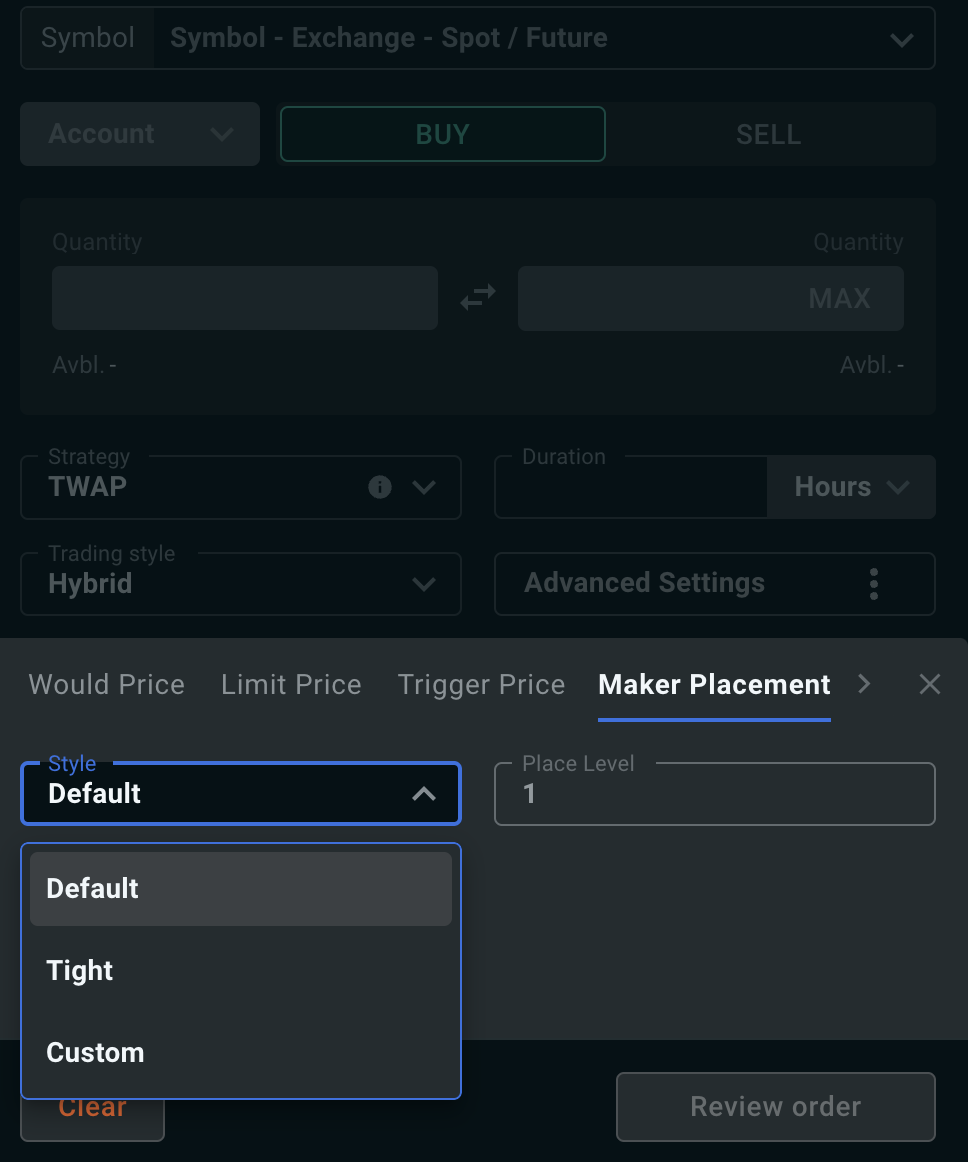
Controls where the passive side of your order rests in the book, and how far the market has to move before it is repriced. Two levels define it:
- the placement level — how deep in the bid or ask book the child order is posted (level 1 is the top of the book);
- the cancel level — the depth at which a resting child order is pulled and re-posted, once the book has moved away from it.
Default places at level 1 and cancels at level 4; Tight places at level 1 and cancels at level 2. With Custom, the placement level can be 1–10 and the cancel level 2–15, and the cancel level must be deeper than the placement level.
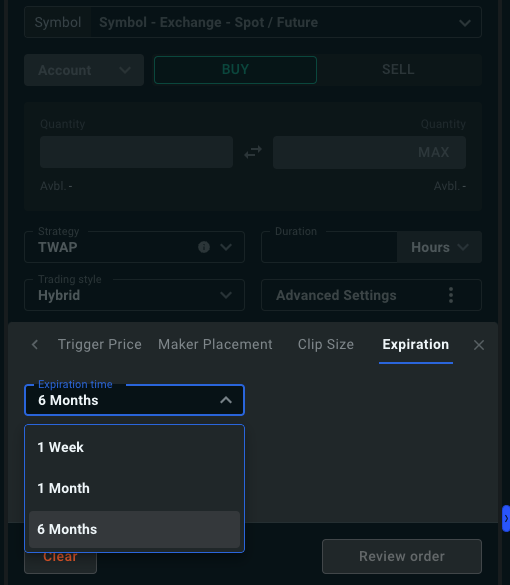
Orders expire after 30 days by default. You can shorten this to 1 week, or extend it to 1 month.