POV#
Percentage of Volume (also known as Volume Inline, Participation Rate, or With Volume) is a strategy that executes your order as a fixed percentage of the market volume. The POV algorithm aims to control market impact by adjusting to market conditions, letting the order follow the natural rhythm of the market. This allows you to execute more discreetly — with less signaling — by "blending in" with the overall traded volume.
Setting a volume participation of 10% means the order executes up to 10% of the market volume. You express urgency through the participation rate: 5% for low urgency, 10% for moderate urgency, and 20–25% for high urgency.
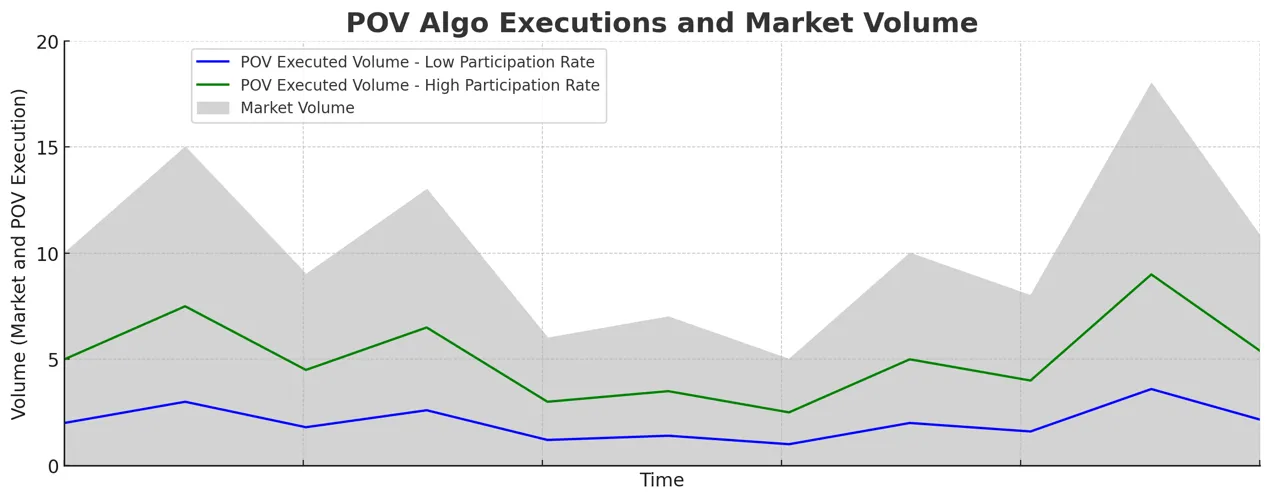
Anboto's POV algorithm is sensitive to real-time changes in volume levels: it trades more during periods of high volume and less in times of lower volume. This direct control over the participation rate makes the price impact of the order more predictable.
Note that participation is measured against total volume, including your own trades. When using POV at a 1/3 (33.33%) rate, if 10,000 coins trade away from your POV order, the algorithm needs to trade approximately 5,000 coins (not 3,333) — it must be 1/3 of the total volume of 15,000 coins (10,000 traded away + 5,000 traded by the algorithm). So at a 33.33% POV setting, the orders sent by the algorithm are actually 50% of the volume that traded away:
"Percent of away volume" = "POV Rate" / (1 − "POV Rate")
This can compound: with 2–3 participants trading sizable orders at 33% POV in the same market at the same time, impact escalates quickly. When trading a large order (as a percentage of daily volume), it is advisable to keep the participation rate lower (closer to 5–10%) and use price limits to avoid excessive price impact.
The average execution price of the POV algorithm is expected to be close to the VWAP over the period of the order's execution. Read more about the benchmarks used to judge POV execution quality in Introducing POV to our algo suite.
When to use it#
- You want your execution to follow market volume rather than a fixed schedule, trading more when the market is active.
- You want to express urgency simply, through a single participation rate.
- You want to execute discreetly, blending in with overall traded volume to reduce signaling.
- You need a fixed linear schedule independent of market volume instead — use TWAP.
How to place a POV order#
The order form always trades the symbol selected in your workspace, so there is no symbol field in the form itself. Pick POV from the algo dropdown in the form's top row (Market | Limit | algo), then fill in:
| Parameter | Example | Required? |
|---|---|---|
| Side | BUY or SELL | Yes |
| Account | Main Account | Yes |
| Quantity | 10 ETH | Yes |
| Trading style | Aggressive / Hybrid / Passive | Yes |
| Volume participation | 2% (the default) | Yes |
| Reduce only (the RO chip on the conditions line) | Off | No (futures only) |
| Trigger / Limit price | + Trigger / + Limit on the conditions line, or Advanced Settings | No |
| Advanced Settings | Risk, Would Price, Trigger Price, etc. | No |
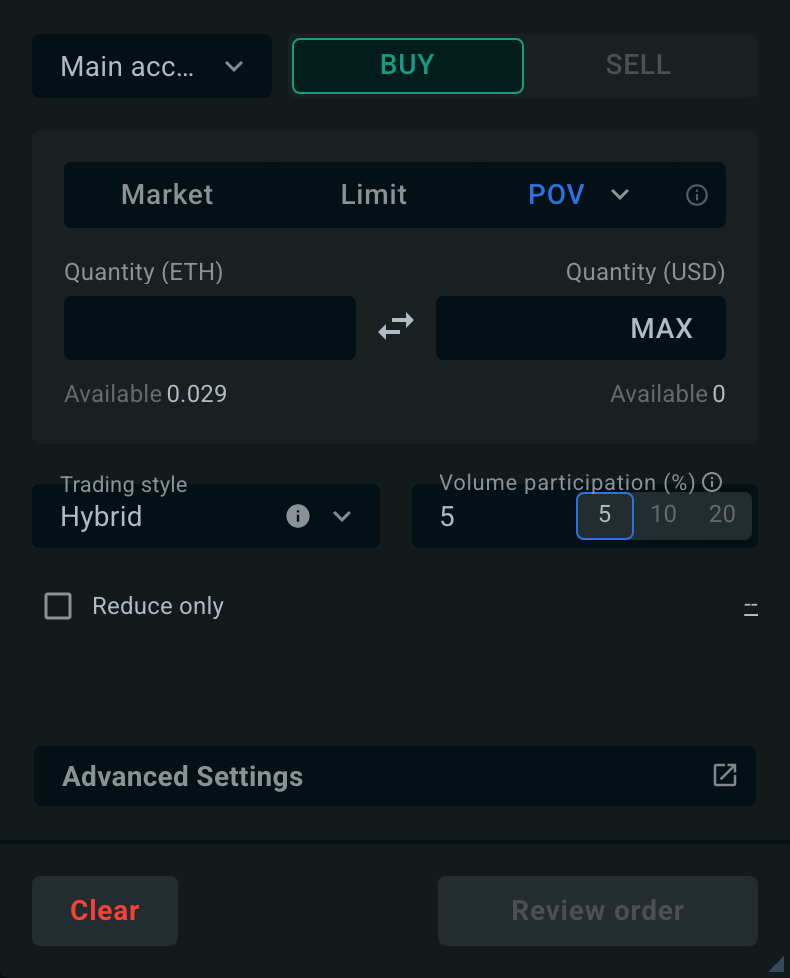
Volume participation is set with a slider and a compact numeric input next to it. The slider snaps to 0.1, 0.25, 0.5, 1, 2, 2.5, 3, 4, 5, 7.5, 10, 12.5, 15, 20 and 25%; you can type any value between 0.01% and 33% (the same bounds the public API enforces) into the input, and the thumb sits on it as a hidden mark. New POV orders default to 2% participation.
Pre-trade tile#
Once the participation is set and the quantity is above zero, a pre-trade tile under the slider estimates the cost of the order before you send it. It is the POV version of the duration-based pre-trade tile used by TWAP, VWAP and IS:
- Impact — LOW, MEDIUM or HIGH, with a five-cell meter. It is the market impact tier at the chosen participation rate.
- Time — order of magnitude for how long the order is expected to take to fill. Hybrid and Passive styles, or a limit price, show a
≥prefix to flag that the figure is a lower bound. - Book — your share of the visible order-book depth.
- Safe — a server-computed participation rate with low impact. Click it to apply. The safe rate comes from the same backend that drives the Safe button on the duration pre-trade tile.
- Details — share of total traded volume, time at the 24h average vs. the order's expected time range, % of 24h volume, a cost estimate, and a warning when participation would be excessive.
Dragging the slider previews the impact and time locally; the value is committed when you release the slider. The advice refreshes every 60 seconds and follows quantity changes after a one-second pause.
Risk#
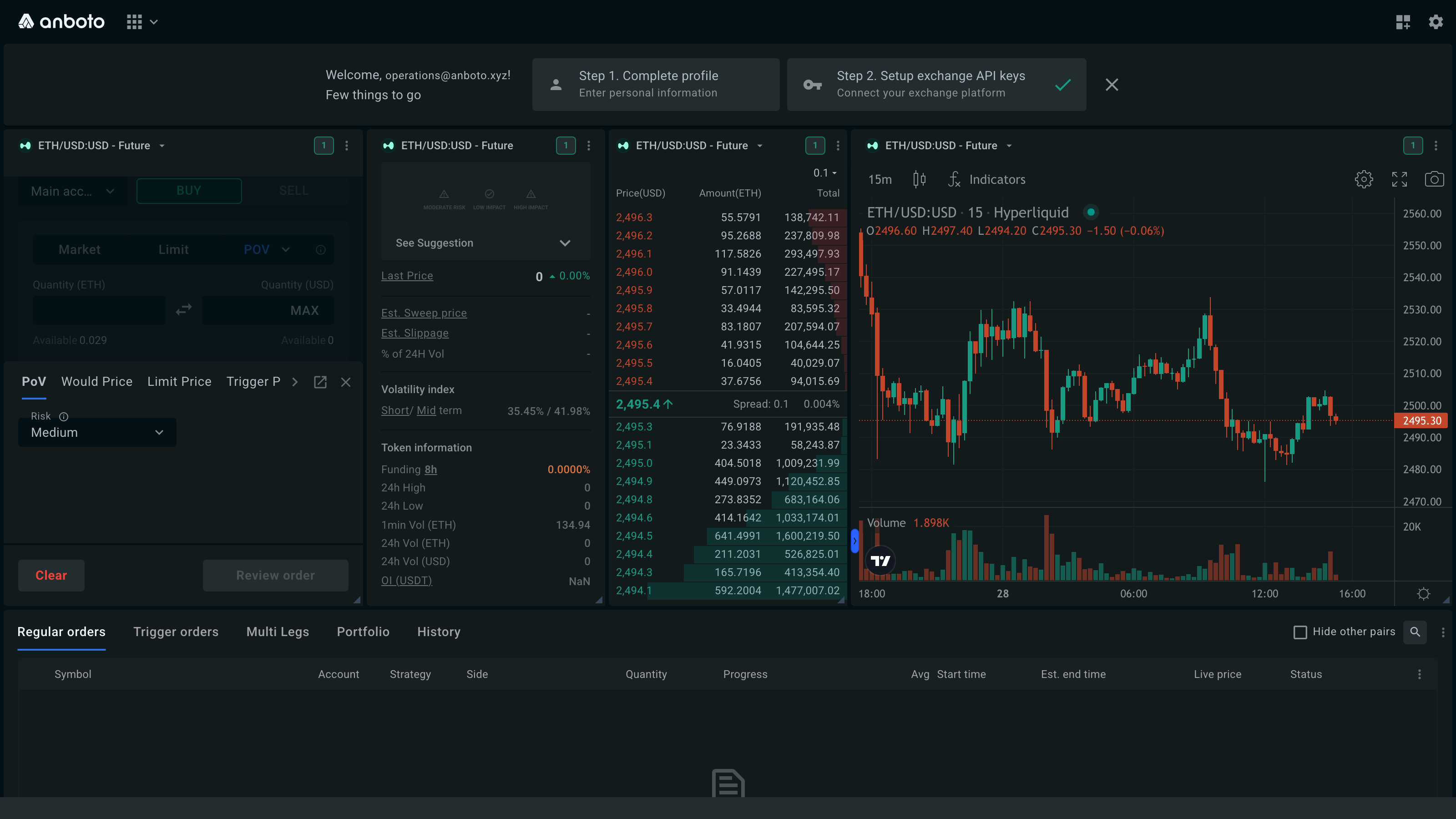
The PoV tab of Advanced Settings holds a Risk dropdown — Medium (the default), Low, or High. It sets how far above your target rate the POV is allowed to run when it has fallen behind schedule:
| Risk | Catch-up allowance | What it means for your order |
|---|---|---|
| Low | about +2% above your target rate | Stays passive and accepts falling further behind, for the lowest market impact |
| Medium (default) | about +7.5% above your target rate | Balanced: catches up without leaning hard on the spread |
| High | about +15% above your target rate | Catches up fastest, taking liquidity to get back on schedule |
So a lower risk setting keeps more of the order on passive prices and reduces impact, at the cost of finishing later; a higher setting gets back on schedule sooner by crossing the spread more often.
Advanced settings#
All advanced settings are optional. They open in the Advanced Settings modal, which shows one tab per setting; the behavior below is described for your POV order.
The trigger price and the limit price can also be set directly in the order form, with + Trigger and + Limit on the conditions line just above Advanced Settings. The order form and the Advanced Settings tabs edit the same values, so they always stay in sync. See Set a trigger from the order form.
Unless you change them, orders run with sensible defaults: the trading style defaults to Hybrid.
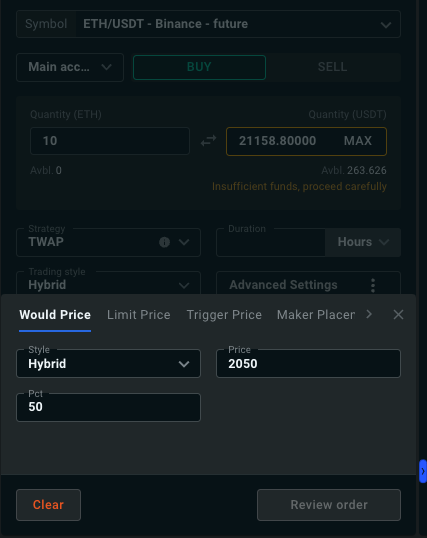
The price at which you are willing to fill the entire remaining order. When enabled, the POV takes any available liquidity up to that price — a "get-it-done" price for the order should the market move favorably.
You control the percentage of the order to execute at this price, and the Style used for it. Each style sets where the would-price child orders are priced:
| Style | Child order price |
|---|---|
| Passive | At your placement depth in the book (see Maker Placement) |
| Hybrid | At the midpoint |
| Aggressive | At the far touch — the best ask for a buy, the best bid for a sell |
Default: off. When you set a would price, you must also choose the would style.
Set Would is arrival to Yes to use the arrival price (the market price when the order starts) as the would price instead of typing one. The would price and Would is arrival cannot be used together.
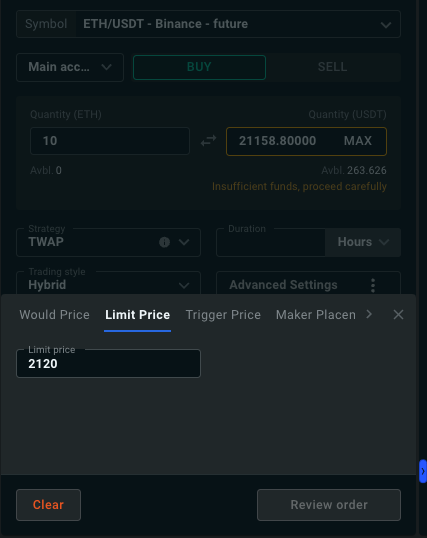
The worst price you are willing to accept — a maximum for buys, a minimum for sells. When set, the POV only consumes liquidity at prices no worse than the limit.
Default: none — the order executes at market prices unless you set a limit.
You can set the same value from the order form with + Limit: the conditions line then reads Pauses if price > X on a buy or Pauses if price < X on a sell. While the market is beyond your limit, execution pauses.
Note
A limit price can prevent the order from reaching full completion if the market stays beyond it.
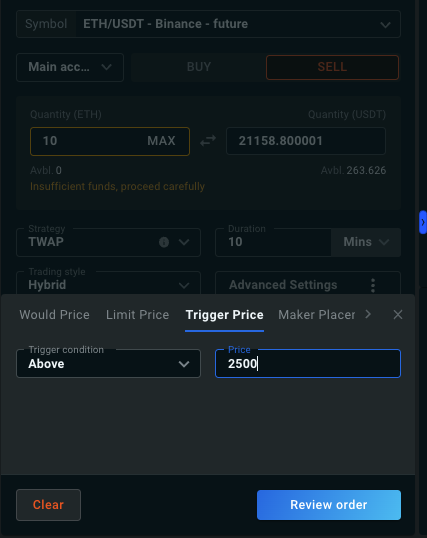
The POV only starts once the trigger price is reached. For example, with ETH trading at 2,000 and a sell order with a trigger at 2,500, execution begins only when ETH reaches 2,500.
The trigger condition can be Above or Below the specified price. See Trigger Orders for details.
Default: none. When you set a trigger price, the condition defaults by side: Below for a BUY, Above for a SELL.
You can set the same value from the order form with + Trigger: the conditions line then reads Starts if price ≤ X (Below) or Starts if price ≥ X (Above).
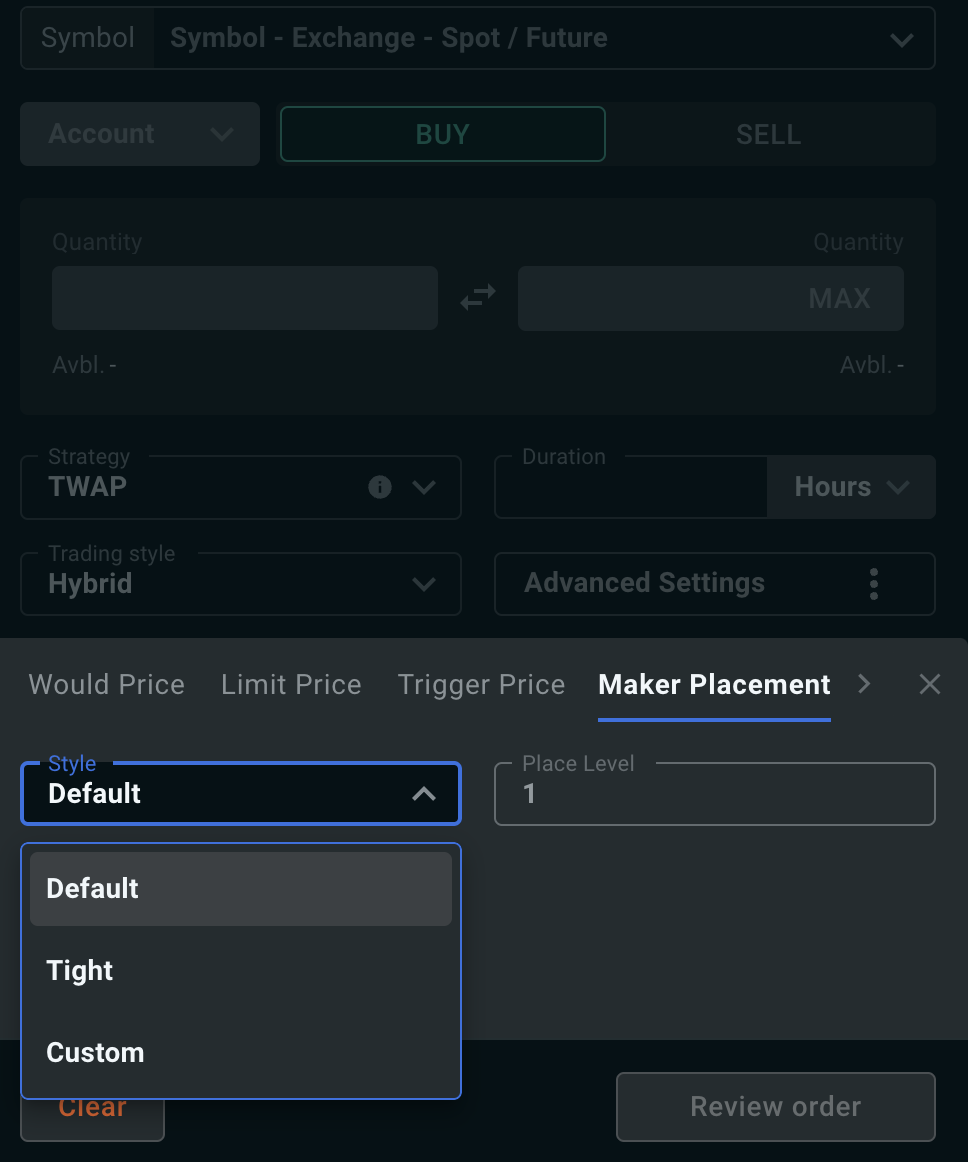
Controls where the passive side of your order rests in the book, and how far the market has to move before it is repriced. Two levels define it:
- the placement level — how deep in the bid or ask book the child order is posted (level 1 is the top of the book);
- the cancel level — the depth at which a resting child order is pulled and re-posted, once the book has moved away from it.
Default places at level 1 and cancels at level 4; Tight places at level 1 and cancels at level 2. With Custom, the placement level can be 1–10 and the cancel level 2–15, and the cancel level must be deeper than the placement level.
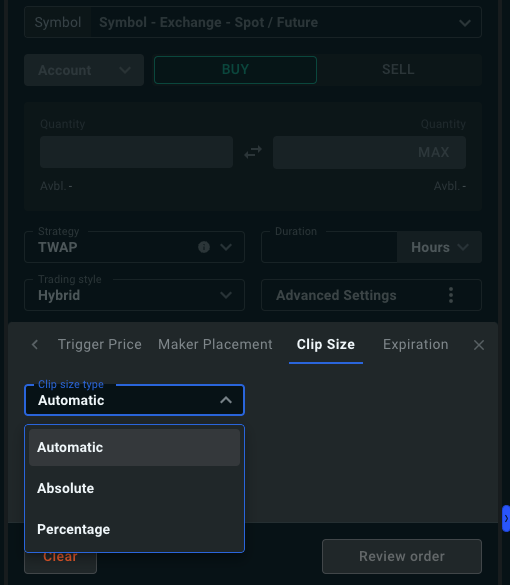
The size of the child orders. By default it is automatic: clip size is derived from recent trade sizes and order-book depth so child orders stay digestible for the market — targeting roughly 7.5% or less of per-second traded volume, with a minimum of about 10 slices per order.
You can instead set the clip size as a percentage of the parent order or as an absolute value — a 10% clip size produces 10 child orders. A ±20% randomization is applied to all child orders (automatically reduced when the clip size is close to the exchange minimum).
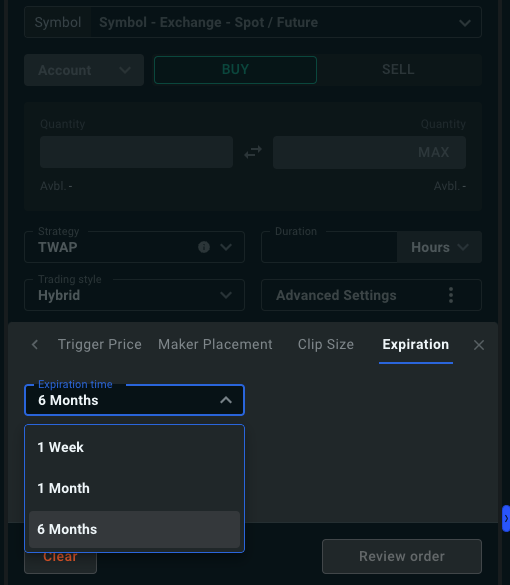
Orders expire after 30 days by default. You can shorten this to 1 week, or extend it to 1 month.