VWAP#
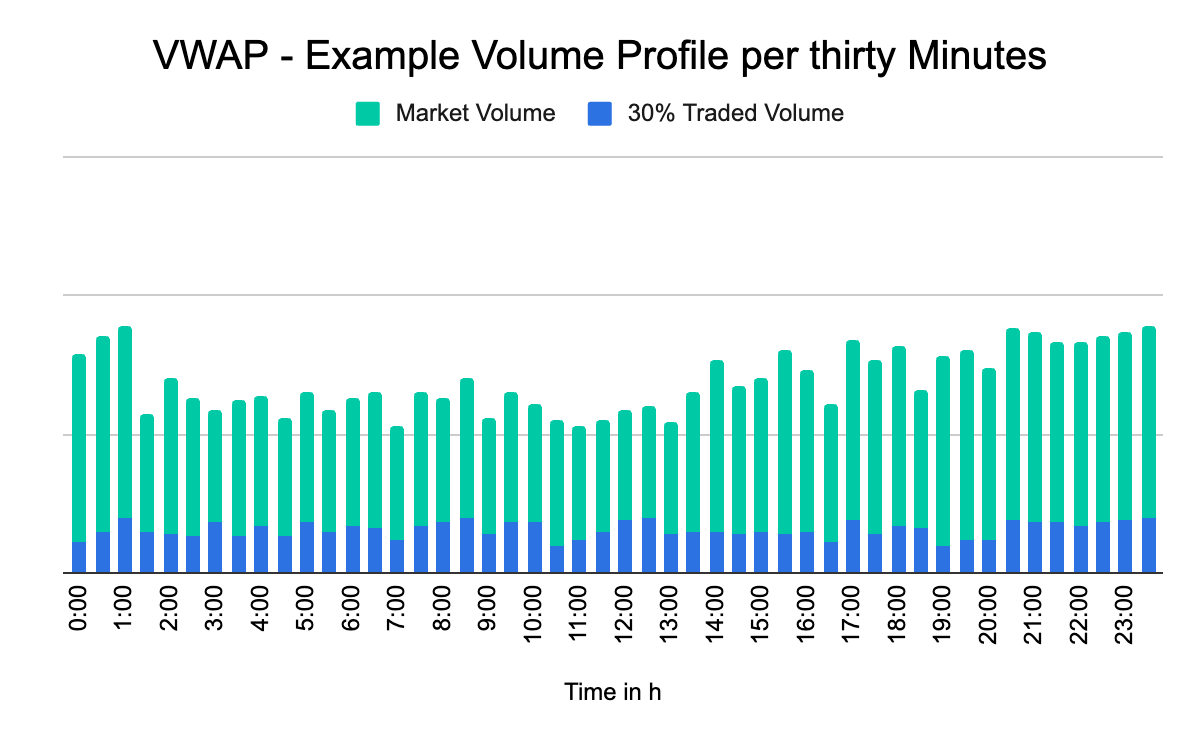
VWAP (volume-weighted average price) is a trading strategy that breaks a large order into smaller volume-based chunks and executes them at varied intervals. Where TWAP targets a weighted average price over time alone, VWAP targets the weighted average price based on both time and volume.
VWAP orders concentrate execution in periods when there is a lot of volume, which helps minimize market impact: more of your size trades when the market can absorb it, and less when it cannot.
Anboto's VWAP algorithm targets an execution price close to the volume-weighted average price observed in the market. It minimizes slippage against this benchmark by remaining passive (Maker), crossing the spread opportunistically in reaction to short-term market asymmetries (Hybrid), or trading more aggressively as a Taker — see Maker vs. Taker. The algorithm studies recent market data to predict upcoming volumes, allowing it to dilute chunks more efficiently — this makes it especially useful in low-liquidity environments.
The algorithm automatically calculates the child orders (micro-orders) for best execution; you can override the sizing under Advanced settings > Clip Size. Executions are designed to minimize costs and footprint: the order runs on your specified exchange and aims for full completion within your specified duration while maintaining the VWAP schedule.
When to use it#
- You want to trade volume-adjusted over a long period (1 day, 1 week, etc.) — typical VWAP timeframes are days to weeks.
- You want execution weighted toward high-volume periods to minimize market impact and slippage.
- You are trading in a low-liquidity environment where volume-aware chunking matters.
- During negative price momentum, a TWAP with its fixed schedule can be the more feasible alternative.
How to place a VWAP order#
The order form always trades the symbol selected in your workspace, so there is no symbol field in the form itself. Pick VWAP from the algo dropdown in the form's top row (Market | Limit | algo), then fill in:
| Parameter | Example | Required? |
|---|---|---|
| Side | BUY or SELL | Yes |
| Account | Main Account | Yes |
| Quantity | 10 ETH | Yes |
| Trading style | Aggressive / Hybrid / Passive | Yes |
| Duration | 1 hour | Yes |
| Reduce only (the RO chip on the conditions line) | Off | No (futures only) |
| Trigger / Limit price | + Trigger / + Limit on the conditions line, or Advanced Settings | No |
| Advanced Settings | Would Price, Trigger Price, etc. | No |
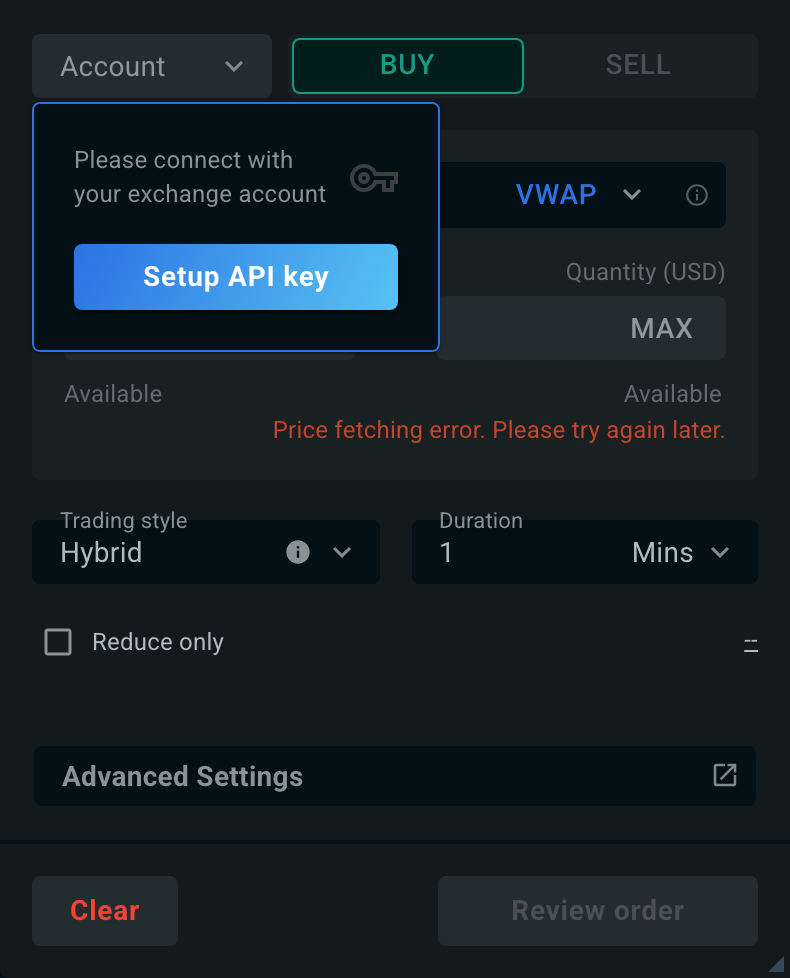
Once you enter a quantity, the order form shows a pre-trade tile under Trading style and Duration. It rates the market Impact of your order at the chosen duration and suggests a Safe duration — the shortest one with low impact — that you can click to apply.
Advanced settings#
All advanced settings are optional. They open in the Advanced Settings modal, which shows one tab per setting; the behavior below is described for your VWAP order.
The trigger price and the limit price can also be set directly in the order form, with + Trigger and + Limit on the conditions line just above Advanced Settings. The order form and the Advanced Settings tabs edit the same values, so they always stay in sync. See Set a trigger from the order form.
Unless you change them, orders run with sensible defaults: the trading style defaults to Hybrid, the duration can range from 60 seconds to 30 days, and extend duration is on by default — giving the algorithm a small grace window (about 10% of the duration, capped at 60 seconds) to finish the tail of the order.
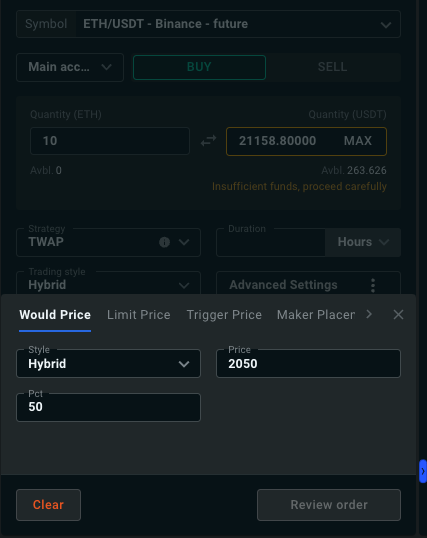
The price at which you are willing to fill the entire remaining order. When enabled, the VWAP takes any available liquidity up to that price — a "get-it-done" price for the order should the market move favorably.
You control the percentage of the order to execute at this price, and the Style used for it. Each style sets where the would-price child orders are priced:
| Style | Child order price |
|---|---|
| Passive | At your placement depth in the book (see Maker Placement) |
| Hybrid | At the midpoint |
| Aggressive | At the far touch — the best ask for a buy, the best bid for a sell |
Default: off. When you set a would price, you must also choose the would style.
Set Would is arrival to Yes to use the arrival price (the market price when the order starts) as the would price instead of typing one. The would price and Would is arrival cannot be used together.
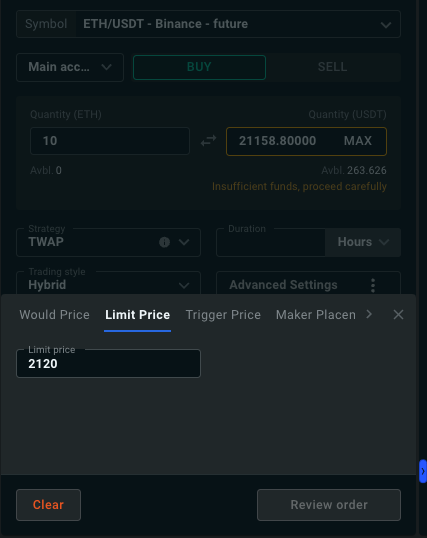
The worst price you are willing to accept — a maximum for buys, a minimum for sells. When set, the VWAP only consumes liquidity at prices no worse than the limit.
Default: none — the order executes at market prices unless you set a limit.
You can set the same value from the order form with + Limit: the conditions line then reads Pauses if price > X on a buy or Pauses if price < X on a sell. While the market is beyond your limit, execution pauses.
Note
A limit price can prevent the order from reaching full completion if the market stays beyond it.
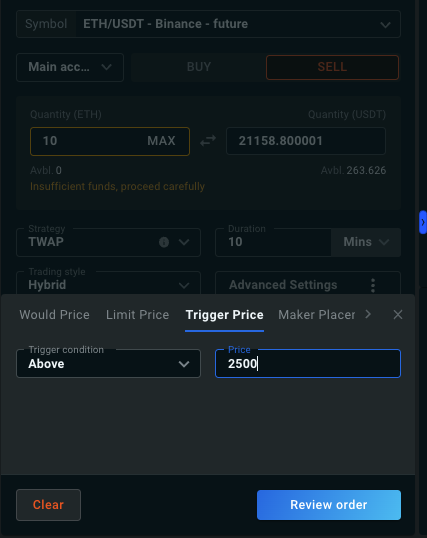
The VWAP only starts once the trigger price is reached. For example, with ETH trading at 2,000 and a sell order with a trigger at 2,500, execution begins only when ETH reaches 2,500.
The trigger condition can be Above or Below the specified price. See Trigger Orders for details.
Default: none. When you set a trigger price, the condition defaults by side: Below for a BUY, Above for a SELL.
You can set the same value from the order form with + Trigger: the conditions line then reads Starts if price ≤ X (Below) or Starts if price ≥ X (Above).
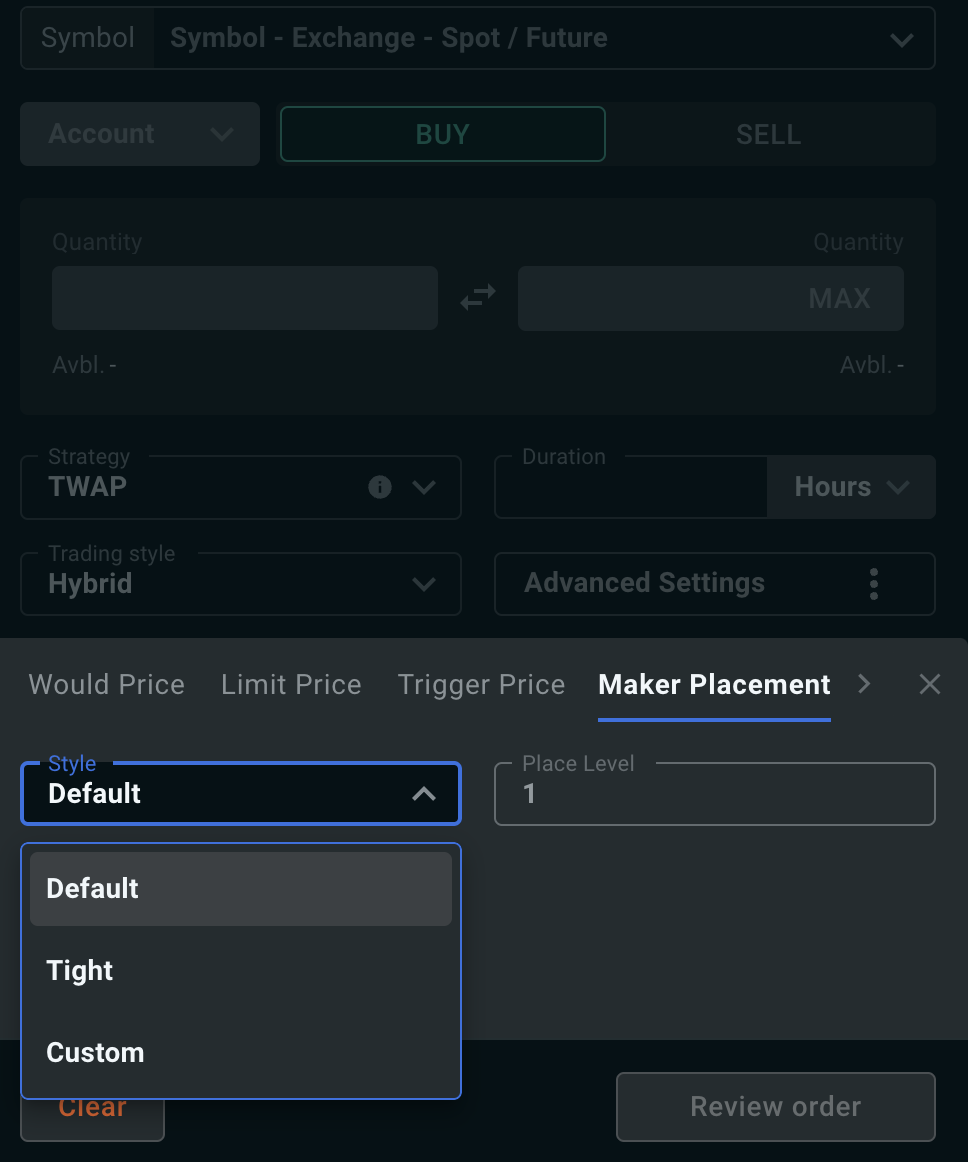
Controls where the passive side of your order rests in the book, and how far the market has to move before it is repriced. Two levels define it:
- the placement level — how deep in the bid or ask book the child order is posted (level 1 is the top of the book);
- the cancel level — the depth at which a resting child order is pulled and re-posted, once the book has moved away from it.
Default places at level 1 and cancels at level 4; Tight places at level 1 and cancels at level 2. With Custom, the placement level can be 1–10 and the cancel level 2–15, and the cancel level must be deeper than the placement level.
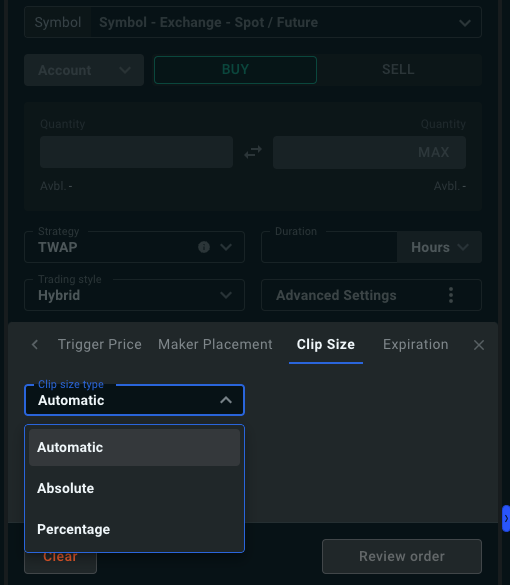
The size of the child orders. By default it is automatic: clip size is derived from recent trade sizes and order-book depth so child orders stay digestible for the market — targeting roughly 7.5% or less of per-second traded volume, with a minimum of about 10 slices per order.
You can instead set the clip size as a percentage of the parent order or as an absolute value — a 10% clip size produces 10 child orders. A ±20% randomization is applied to all child orders (automatically reduced when the clip size is close to the exchange minimum).
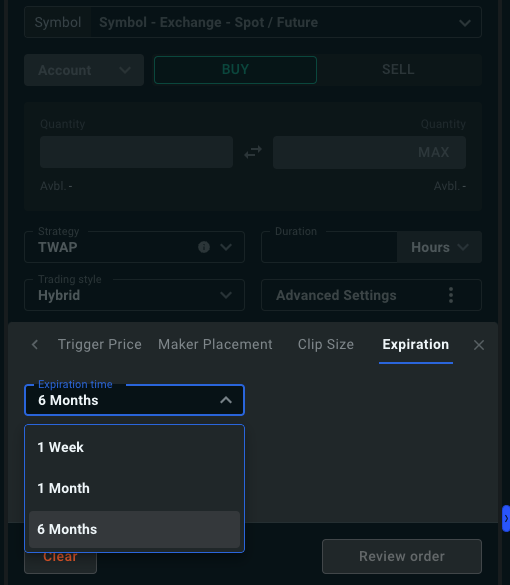
Orders expire after 30 days by default. You can shorten this to 1 week, or extend it to 1 month.